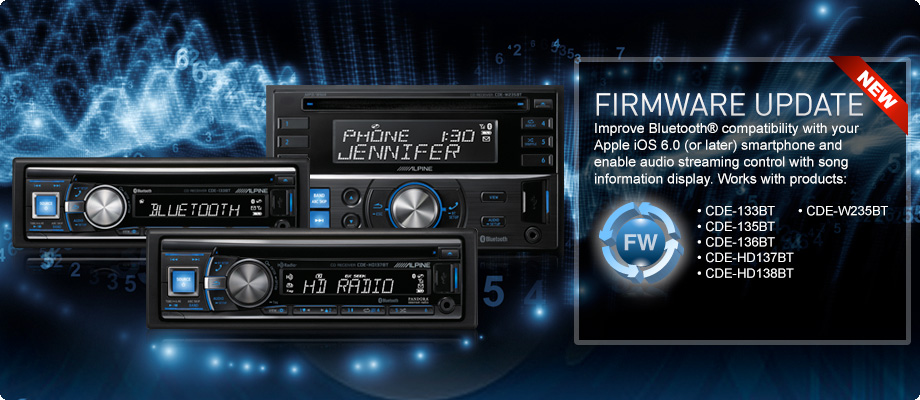
Bluetooth Firmware Update

  • If you are not sure if you need this update or have any questions, please contact customer service for help.

  • Bluetooth Firmware Update v01.27.00 Contents:
    • Improves compatibility with the Apple operating system iOS 6.0 and later.
    • Enables Bluetooth audio streaming control and song information display.
  • Requirements to update your CDE-133BT, CDE-135BT, CDE-136BT, CDE-HD137BT, CDE-HD138BT or CDE-W235BT head unit:
    • A Windows 7 computer or Mac (connected to the internet) with Bluetooth connectivity. This includes built-in Bluetooth adapters or external USB Bluetooth adapters.
    • The Bluetooth adapter must support File Transfer Profile (FTP).
    • The Bluetooth firmware update file (Alpine provided).
  • Follow the instructions below carefully and download the Bluetooth firmware update file and instructions here:

    1. Download the Bluetooth firmware update (zipped folder) to the computer that will be used to perform this update.
    2. Save the update (zipped folder) onto the Windows desktop so that it can be easily found later.
    3. Unzip the folder by right clicking the file then selecting “Extract All...”. The extracted folder contents will include the firmware update file named “FC6000S_01-27-00.plf”.

      Note: The contents of the folder will include the Update Manual and the Firmware Update file.

    WARNING: This update is specifically designed to work with units sold in the U.S. and Canada with the operating system requirements on this page. Using this firmware update on units sold outside the U.S. and Canada, and use of an operating system outside the requirement(s) of this update will cause damage to the unit. If you are not sure if you need this update, please contact customer service for help.

    Bluetooth Firmware Update v01.27.00 : Download